Running an Indoor Climbing Gym on Odoo: One Platform for Memberships, Waivers, Retail and Staff
An APAA implementation example of how an indoor climbing gym runs memberships, digital waivers, POS retail, inventory, scheduling, and community events from a single Odoo platform.

When clients ask us at APAA whether Odoo can really run a whole business off one platform, we like to point to a concrete example rather than a feature list. An indoor climbing gym is one of our favourites — because almost nobody expects a fitness venue to be a textbook ERP case study, yet it is. A climbing gym sells day passes and memberships, collects liability waivers, runs a retail counter, holds stock of chalk and shoes, schedules staff across long opening hours, and builds a community through events. That is half a dozen distinct operations under one roof.
Run those on a patchwork of booking apps, spreadsheets, and a standalone till, and you get exactly what you would expect: data that never agrees with itself and staff who waste their day re-keying the same information. This guide walks through how a single Odoo deployment handles each of those areas — and, more importantly, how the modules feed each other automatically. Read it as a worked implementation example; the same pattern applies to plenty of other multi-function venues.
Selling Passes and Memberships
A climbing gym's revenue usually splits across day passes, punch passes, and monthly memberships. Odoo handles these with two complementary apps.
Day Passes Through the Sales App
The Sales app processes a day pass on the spot. The workflow is only a few steps, and every transaction syncs automatically to the customer record and the accounts. This is the right fit for walk-ins and tourists who just want a single entry.

Punch Passes and Memberships Through Subscriptions
For climbers who come regularly but do not want to be locked into a fixed monthly fee, the Subscriptions app handles punch passes — the customer buys a set number of sessions and uses them on their own schedule. The same app runs monthly memberships, billing them automatically on a recurring cycle.
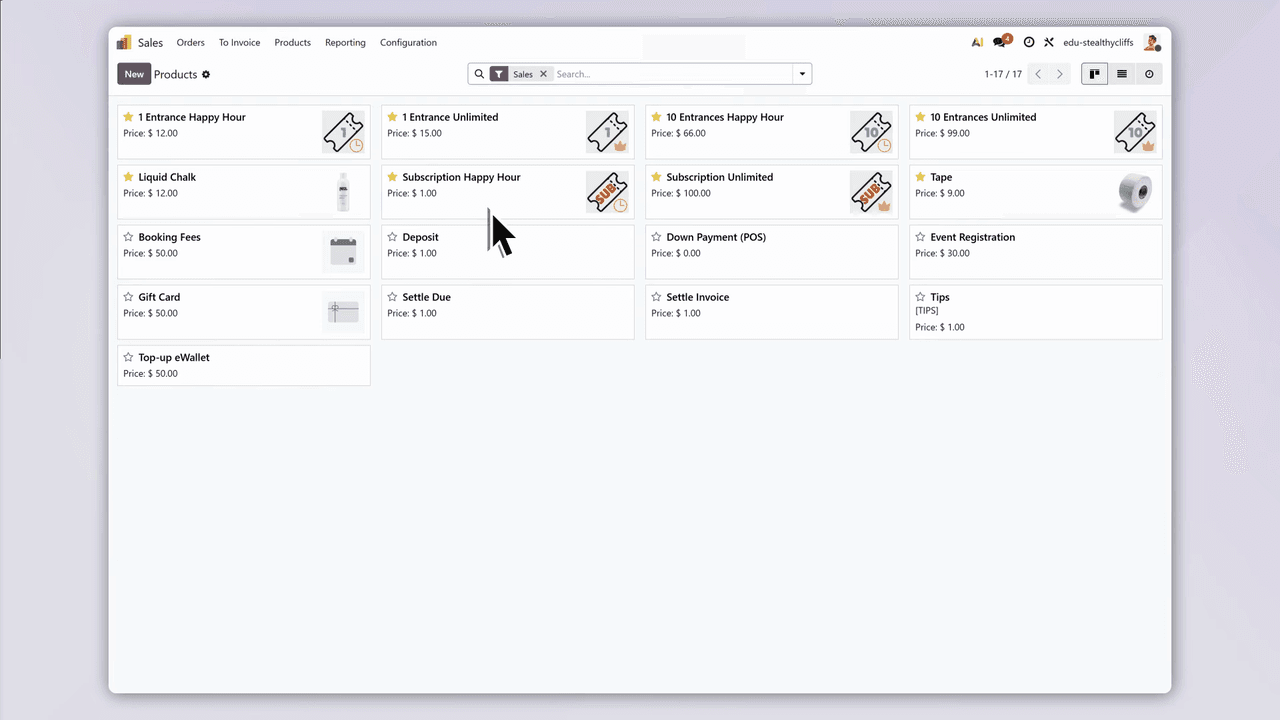
| Pass Type | Best For | Odoo App |
|---|---|---|
| Day Pass | Walk-ins, tourists | Sales |
| Punch Pass | Regular climbers with flexible schedules | Subscriptions |
| Monthly Membership | Dedicated climbers training consistently | Subscriptions |
Every sale, customer record, and payment status syncs across the system automatically — no duplicate entry anywhere.
Digital Waiver Management
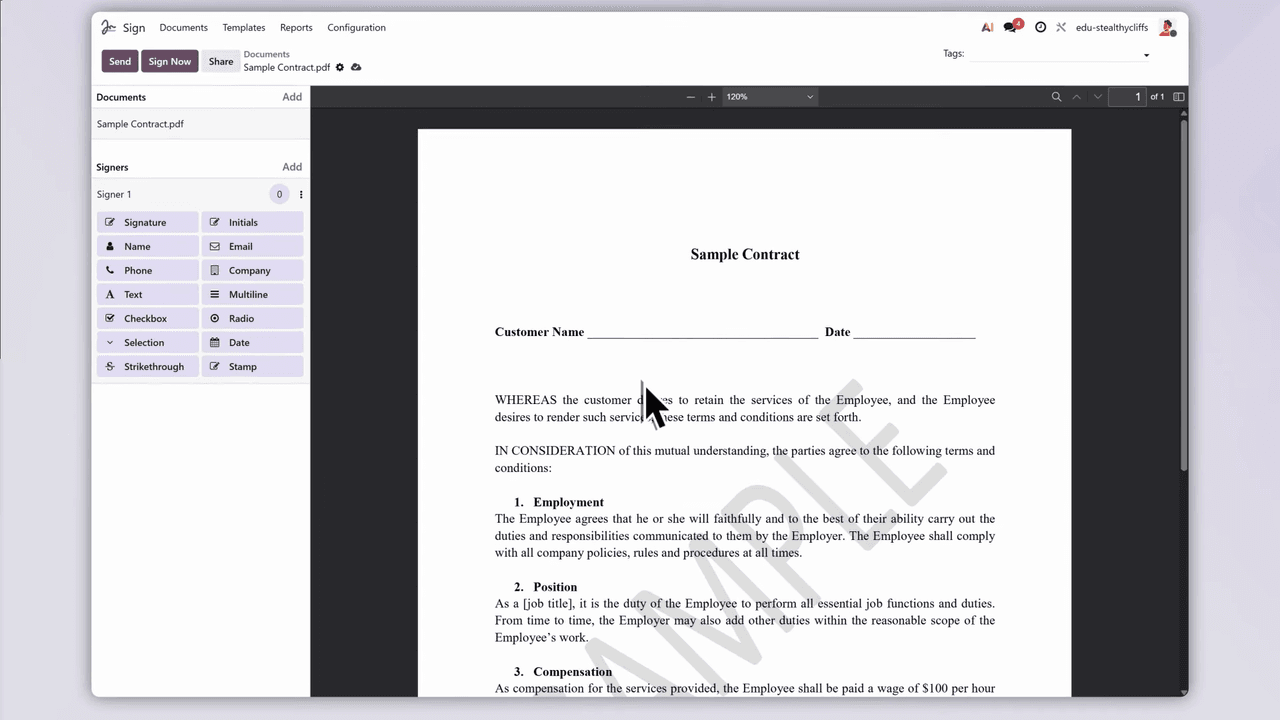
Most climbing gyms require a signed liability waiver before a first session. Paper forms get lost, are a pain to archive, and slow the queue at the front desk. Odoo Sign digitises the whole thing.
Three Ways to Sign
- Email in advance — once a customer books, the system automatically emails the waiver so they can sign on their phone before arriving.
- Sign at the front desk — customers sign on a tablet when they walk in.
- Automatic filing — signed documents are stored and linked to the right customer profile with no manual step.
No more paper forms or filing cabinets. Front-desk staff can check any customer's waiver status instantly, which keeps the check-in line moving.
A Single Customer Record
The Contacts app is the central database for every piece of customer information. Open one profile and the front desk sees:
- Waiver status — whether a valid signed waiver is on file
- Remaining sessions — how many punch-pass entries are left
- Purchase history — past passes and retail transactions
- Visit history — the date and time of the last visit
It is all on one page. Staff never switch between systems, and most customer queries are answered in seconds.
On-Site Retail With POS
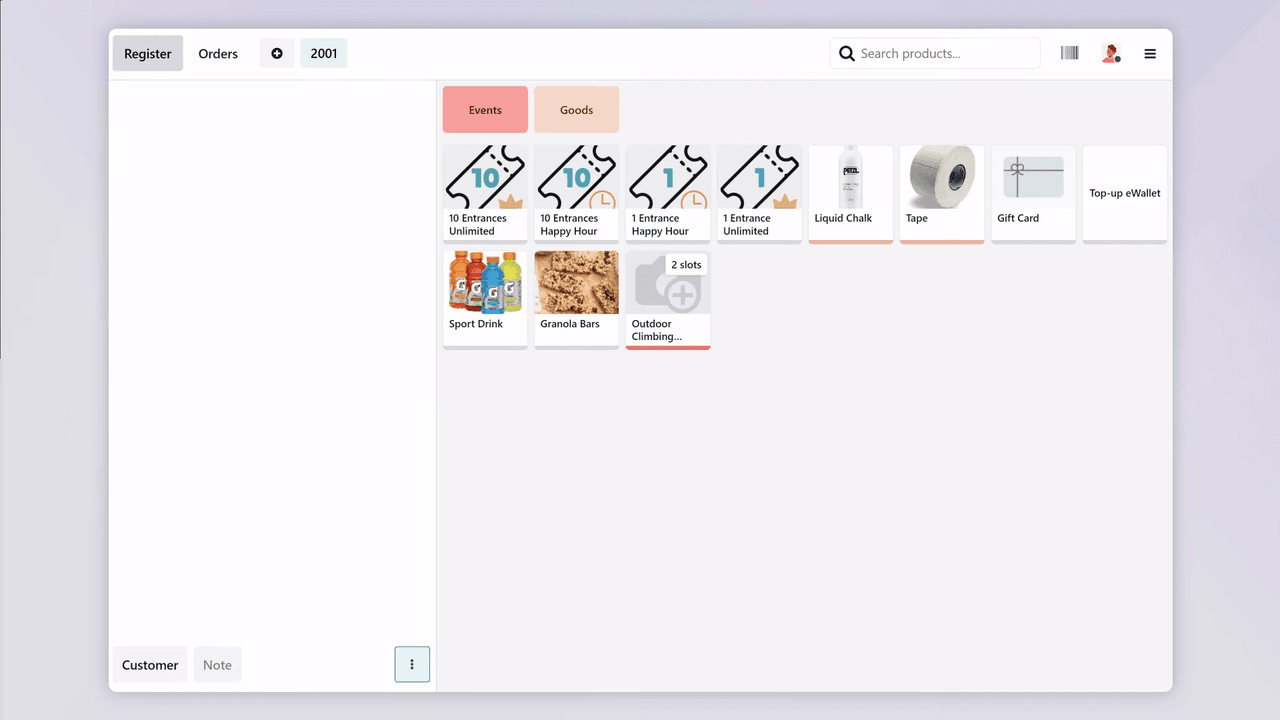
Climbers constantly buy chalk, rent shoes, grab an energy bar, or pick up a drink. The Odoo Point of Sale (POS) app handles those counter sales.
Key Features
- Quick product search — find items by name, barcode, or category
- Multiple payment methods — cash, credit card, Octopus, or digital payment
- Real-time inventory sync — each sale deducts from stock automatically
- Customer record integration — purchases link back to the customer profile
After each sale, inventory and accounting update in real time. Management can read the POS reports to see which products move best and when the busy selling periods fall.
Inventory and Vendor Management
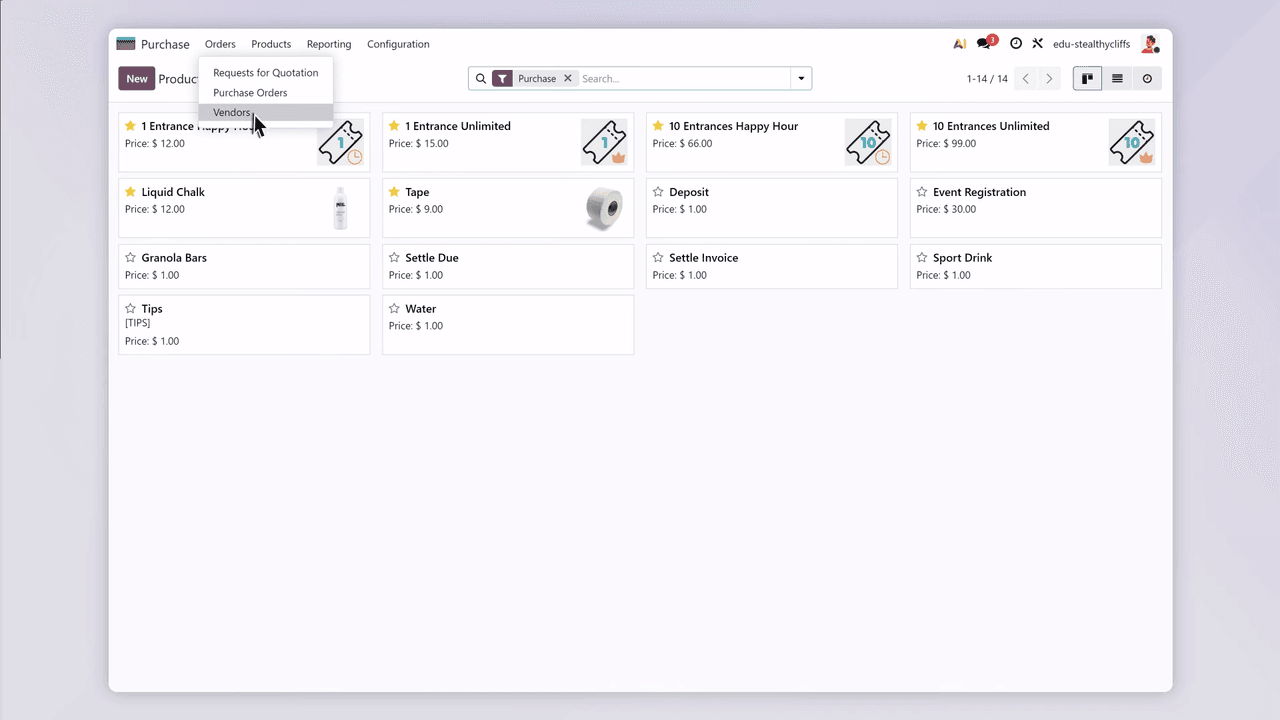
Running out of chalk or energy bars hits the customer experience directly. The Odoo Purchase app works alongside the Inventory module to keep both retail products and operational supplies stocked.
Vendor Management
Keep every vendor detail in one place:
- Contact people and details
- Past order records
- Product catalogues and pricing
- Payment terms and delivery timelines
Automatic Reorder Alerts
- Minimum stock levels — when an item drops below its safety threshold, the system triggers a reorder alert automatically.
- Purchase orders update inventory — stock quantities update in real time as goods are received.
- Order tracking — see the status and expected delivery date of every purchase order.
From climbing shoes and chalk to snacks and drinks, stock status is always visible at a glance.
Website and Community Events
A climbing gym's long-term growth runs on community. Odoo's Website and Events apps help you build an online presence and organise activities.
A Professional Website
The Odoo Website builder lets you create a polished gym website with no coding:
- Show off the climbing space and facility photos
- List membership plans and pricing
- Publish event schedules and course information
- Take online registrations and enquiries

Event Management
Organise and promote activities through the Events app:
- Bouldering competitions and leagues
- Beginner experience workshops
- Technical training sessions
- Community meetups and themed nights
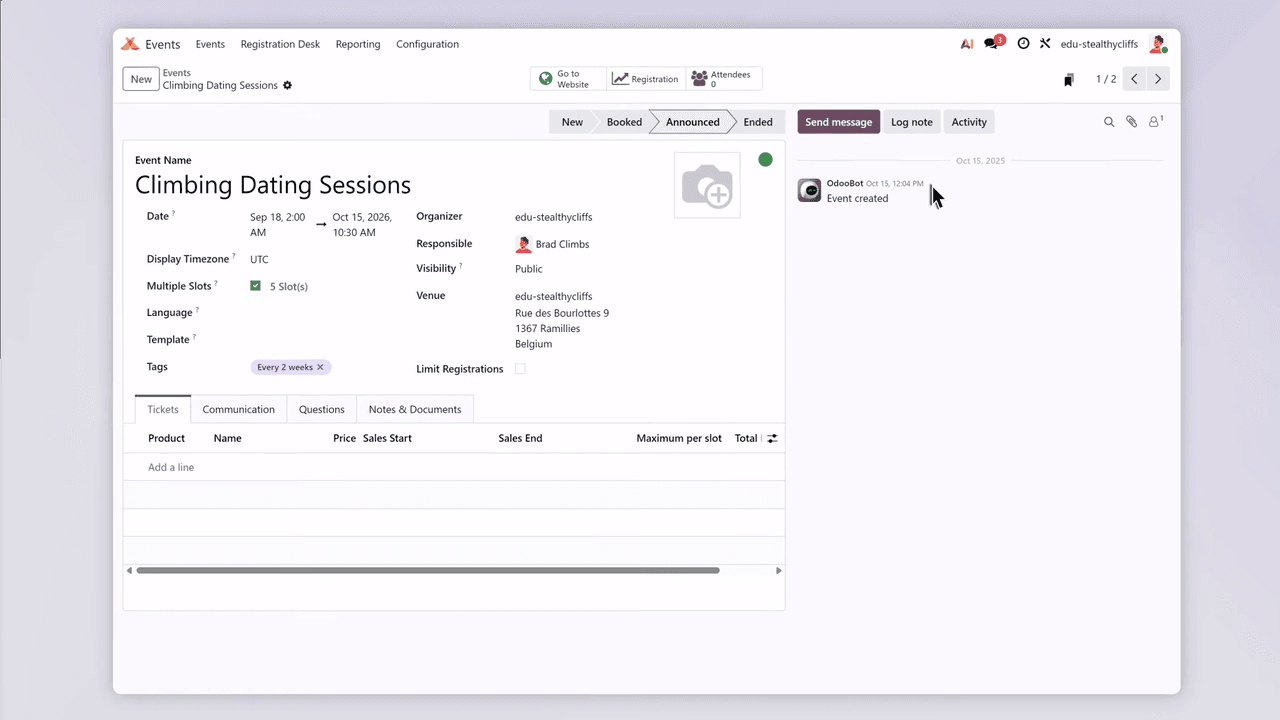
Event pages plug straight into the website. Participants browse the details, register, and pay online, all on the same platform — and the registration data syncs to Contacts automatically for follow-up.
Staff Scheduling
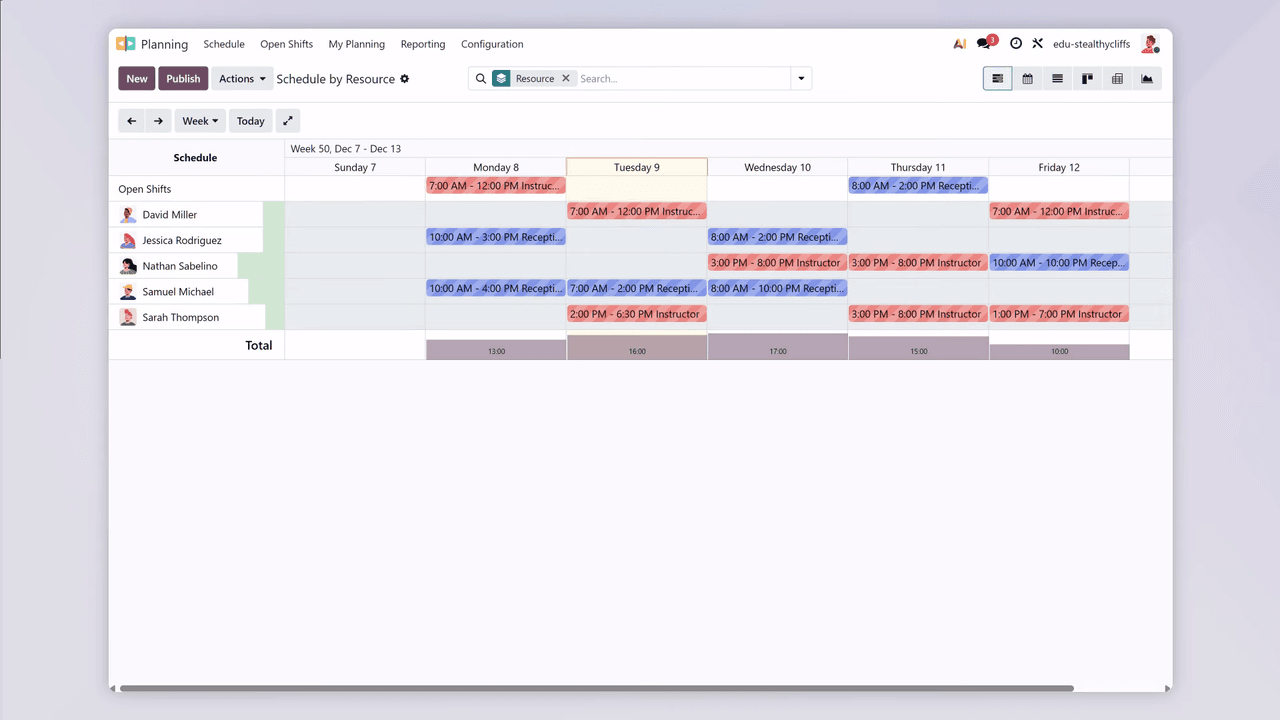
Climbing gyms typically run from morning until late evening, which makes shift scheduling a genuine time sink. The Odoo Planning app takes the grind out of it.
Core Features
- Visual schedule — see the full week's staffing in a Gantt-chart layout
- Coverage gap detection — clearly flags the slots that still need staff
- Auto-scheduling — generates schedule suggestions based on role, skills, and availability
- Employee self-service — staff check their own schedule from their phone anytime
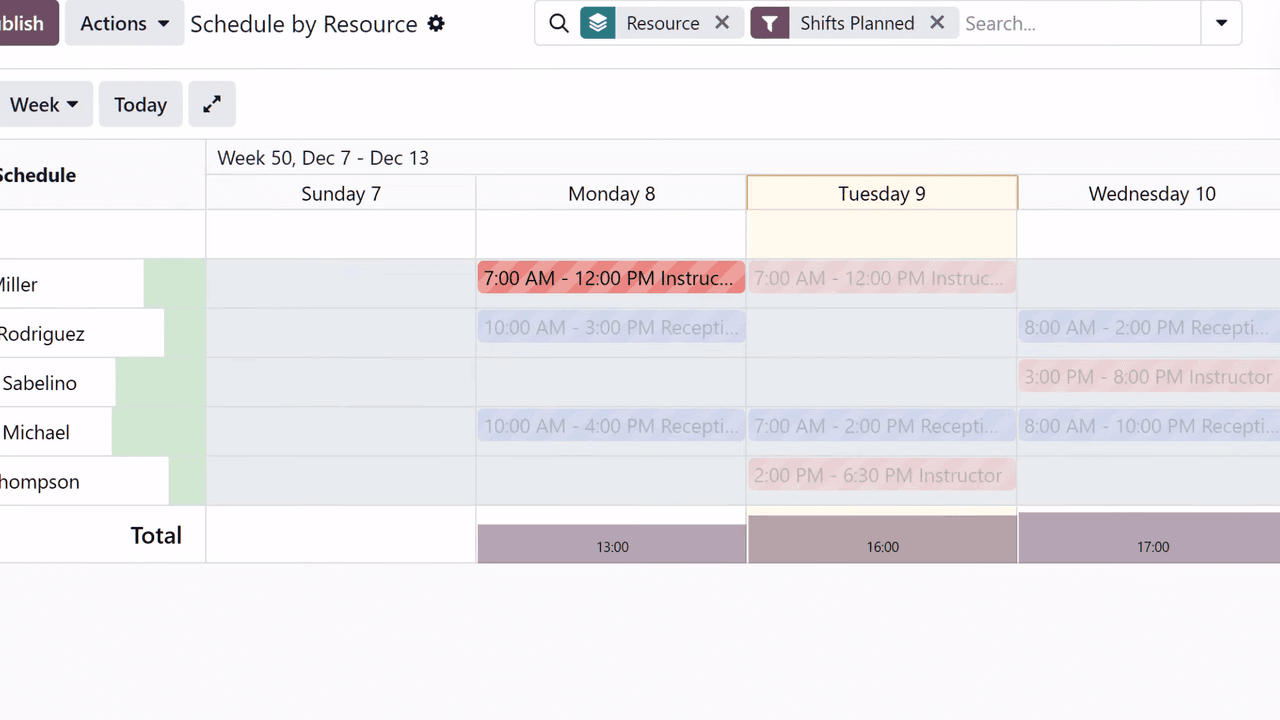
When a roster needs finishing fast, the auto-plan feature builds a complete schedule around each person's role and availability — less time on admin, more on running the gym and looking after climbers.
How the Modules Feed Each Other
The real payoff of Odoo is the data flowing between apps. Here is how the modules collaborate automatically across a typical gym day:
| Scenario | Apps Involved |
|---|---|
| Customer buys a punch pass | Sales → Contacts → Accounting |
| New customer signs a waiver | Sign → Contacts |
| Front desk sells chalk and drinks | POS → Inventory → Accounting |
| Retail stock runs low | Inventory → Purchase |
| Customer registers for a competition online | Website → Events → Contacts |
| Employee checks next week's shifts | Planning → Employees |
Everything moves inside one platform — no shuttling data between separate tools. The customer record at the front desk, the transaction in accounting, and the stock count in the storeroom are the same data, synced in real time.
Practical Tips
A few configuration choices sharpen gym operations further:
- Build waiver templates in Odoo Sign so staff can fire off a waiver to a new customer in one click.
- Use customer tags — mark customers as "beginner," "advanced," or "coach" to target the right courses and events at the right people.
- Set automatic reminders that fire when a punch pass is nearly used up, nudging renewals.
- Read the POS data regularly to see best sellers and refine your purchasing.
- Follow up after events — use Contacts tags to push relevant content to people who attended a competition or workshop.
The Takeaway
Managing a climbing gym spans a lot of operational ground, but it does not need a wall of disconnected systems. One Odoo deployment covers memberships, waivers, retail, inventory, website and events, and staff scheduling — with the modules feeding each other so nobody re-keys the same data twice.
That is the whole point of the implementation: operators get to spend their hours improving the climbing experience and building community, not babysitting admin. The pattern shown here is not unique to climbing — any venue juggling memberships, retail, and events can be wired up the same way.
If you are weighing an all-in-one system for your gym or venue, talk to APAA about how an Odoo implementation would map to your operation and what it would cost.