Registering a Free Domain Name in Odoo Website: A Step-by-Step Guide for HK SMEs
How to register a free domain name directly from Odoo Website — covering how to choose a name, the registration steps, and what subdomains actually mean.
A Proper Domain Is the Cheapest Credibility You Can Buy
At APAA, the Hong Kong SMEs we work with sometimes launch with a site address that still carries an .odoo.com suffix, or worse, hand out a raw web address that means nothing to a customer. A domain name — the string of letters that identifies your site instead of a bare IP address — is the first thing a visitor notices, and it quietly signals whether you're an established business or someone testing the waters.

The good news is that if your site runs on Odoo Website, you can register a real domain name for free, from inside the same interface you build your pages in. This guide covers how to choose a good name and walks through the registration step by step.
Choosing a Name Worth Keeping
A domain name is something you'll print on cards, say over the phone, and live with for years — so it's worth a moment's thought. Three principles keep you on the right track:
- Keep it simple — short and memorable wins.
- Make it easy to spell — in every language your audience speaks.
- Align it with your company name — consistency builds trust.
In Hong Kong, where a business may deal with customers in both English and Chinese, "easy to spell" deserves extra weight: a name that's clear when read aloud over the phone saves a lot of confusion later.
Can You Really Get a Free Domain with Odoo?
Yes. Odoo lets you register a domain name directly from the Website app at no extra cost. Behind the scenes, Odoo uses Gandi as the domain name service provider, but you handle everything from within Odoo's own interface — there's no separate account to set up with a registrar.
If you already own a domain name, you can map it to your Odoo website through Odoo's documentation instead. This guide focuses on registering a brand-new domain.
Step by Step: Register Your Domain in Odoo
1. Open the Domain Name Tool
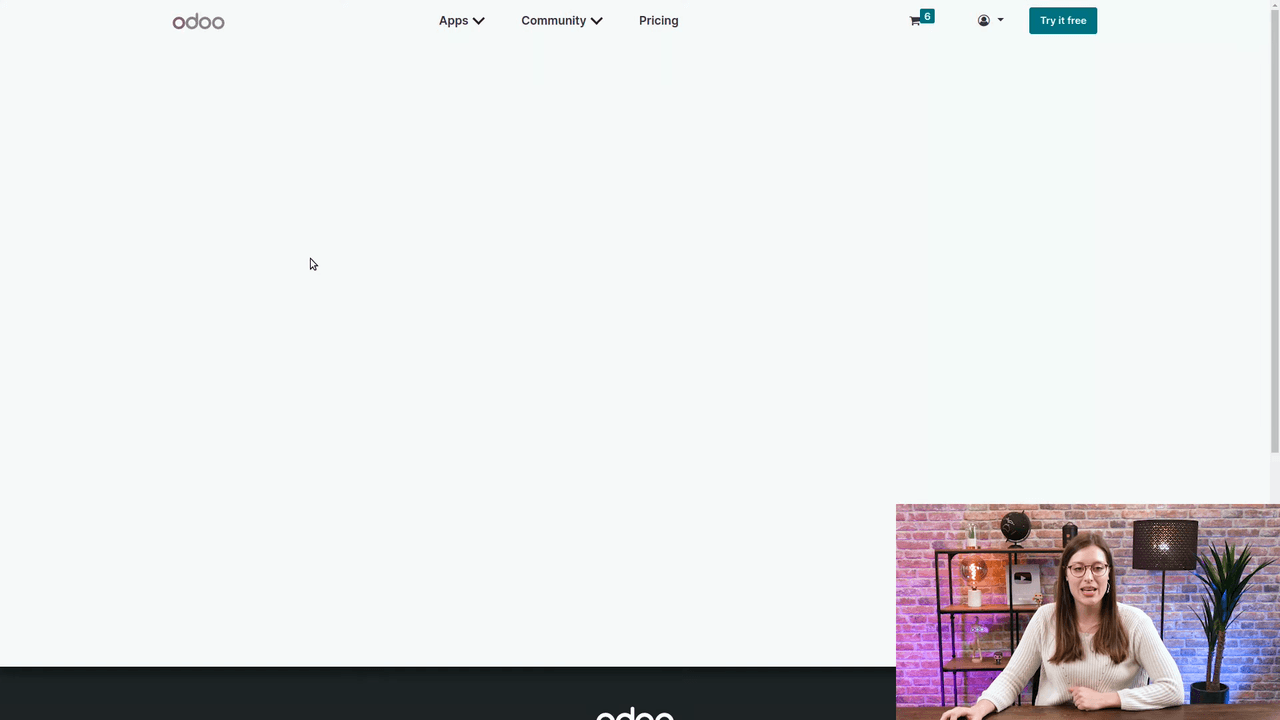
From your Odoo website editor, go to Promote > Domain Name. This redirects you to your odoo.com portal account. Log in if you aren't already signed in.
2. Search for Your Domain
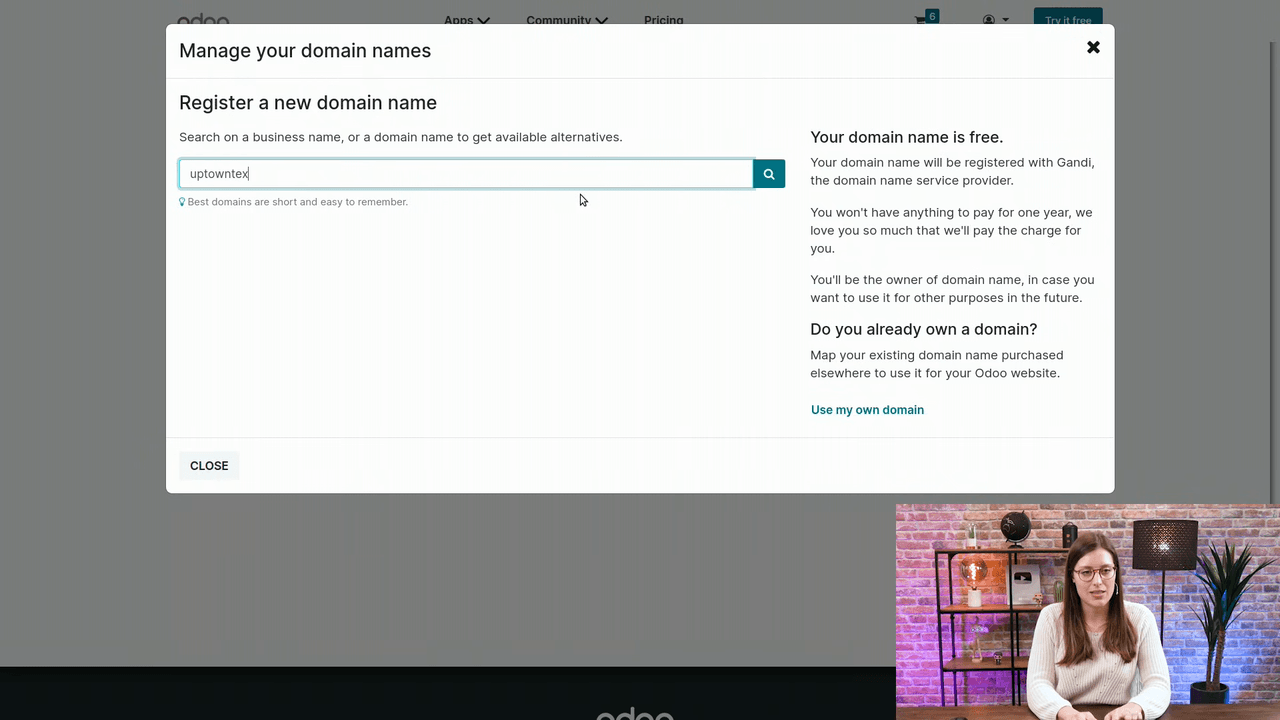
Type the domain name you want — for example, uptowntextile. You don't need to include www: that's a subdomain and isn't required at registration.
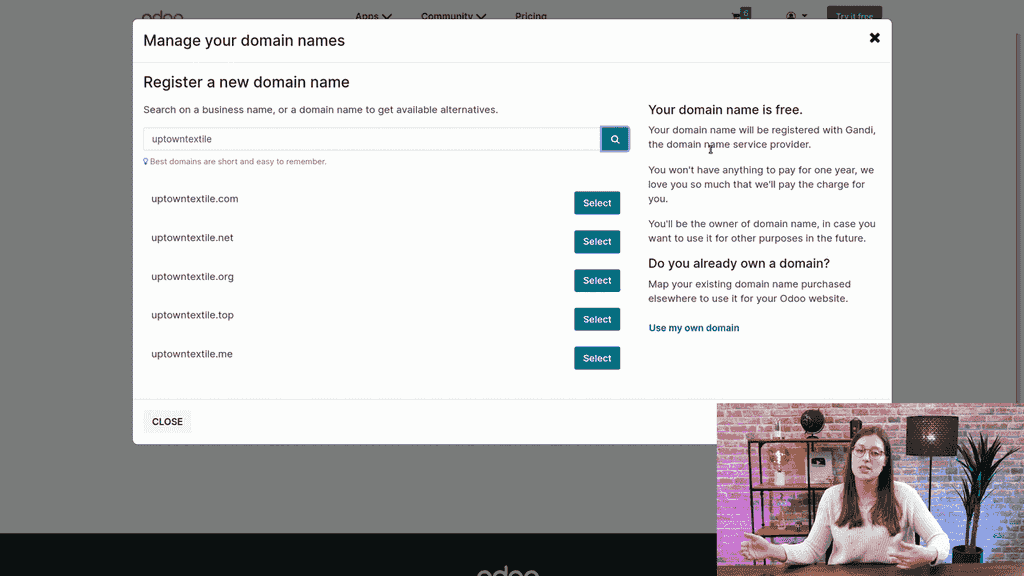
Odoo then shows the available options, such as .com and .net extensions.
3. Select Your Domain
Pick the extension you prefer — .com is the most common and most expected — and click to proceed.
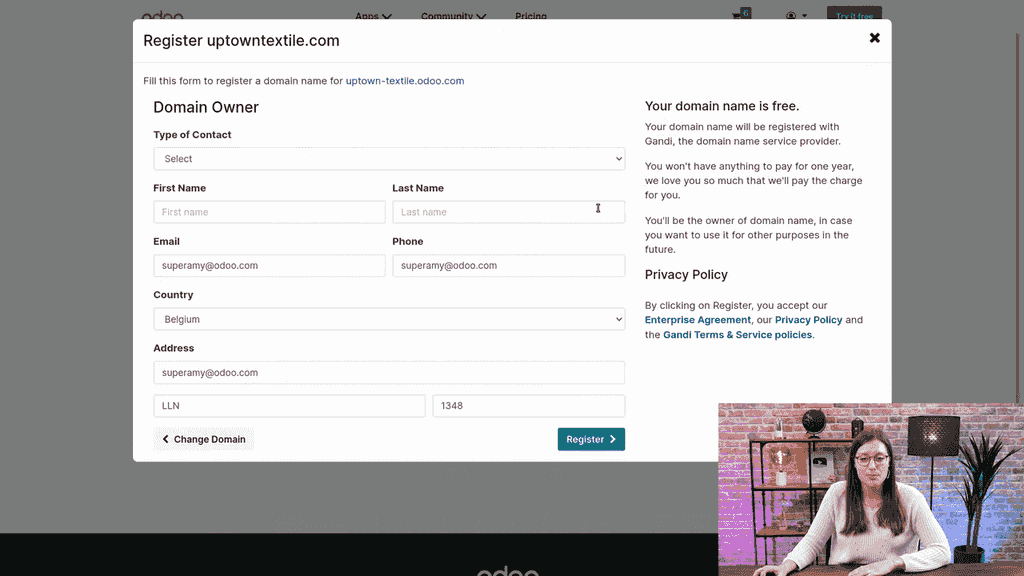
4. Fill Out the Registration Form
Complete the required fields:
| Field | Example |
|---|---|
| Company Name | Uptown Textile |
| Your Name | Your full name |
| Email Address | Must be valid — you'll need it to confirm |
| Phone Number | A reachable number |
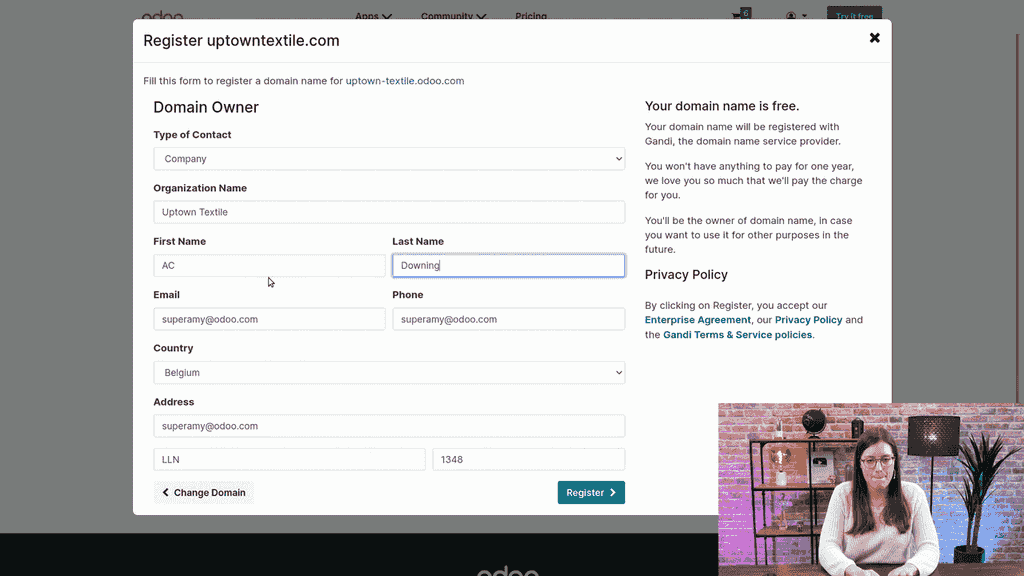
Use an email address you actually monitor — the confirmation step in the next stage depends on it.
5. Register and Confirm
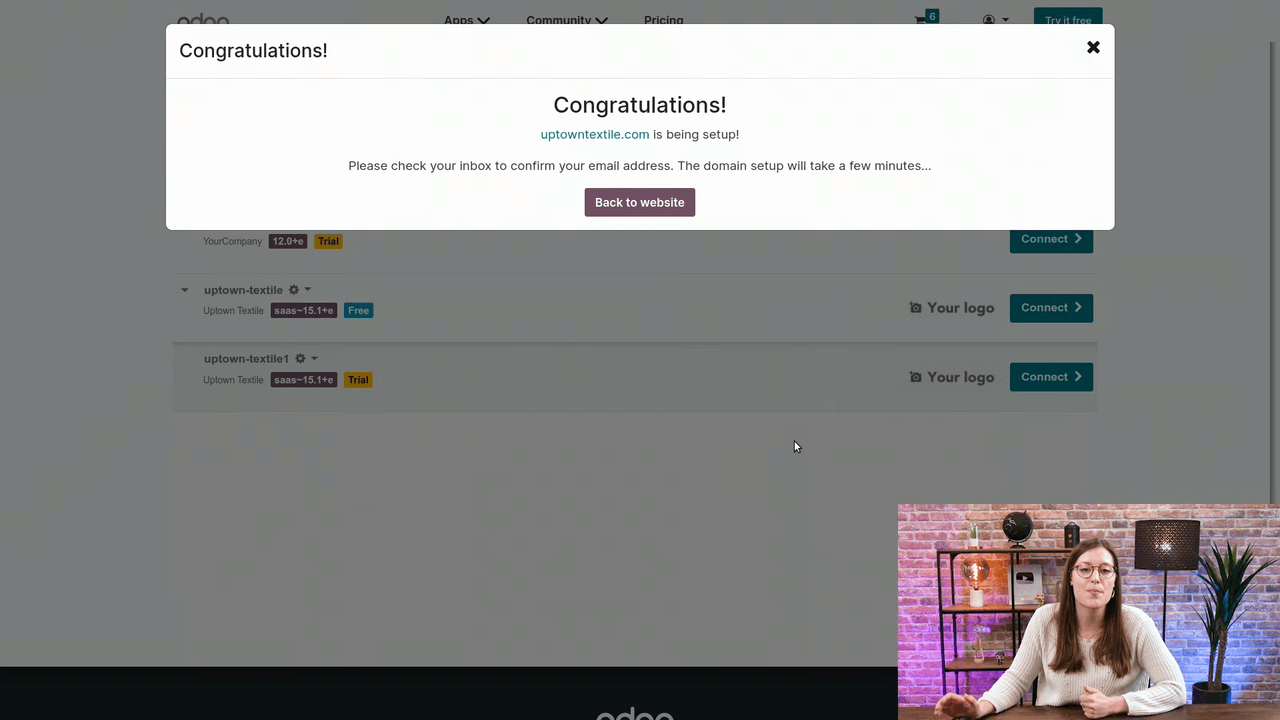
Click Register. Odoo begins setting up your domain. Check your email inbox for a confirmation message and verify your email address.
Once confirmed, the domain becomes available within a few minutes.
6. Verify in Your Portal
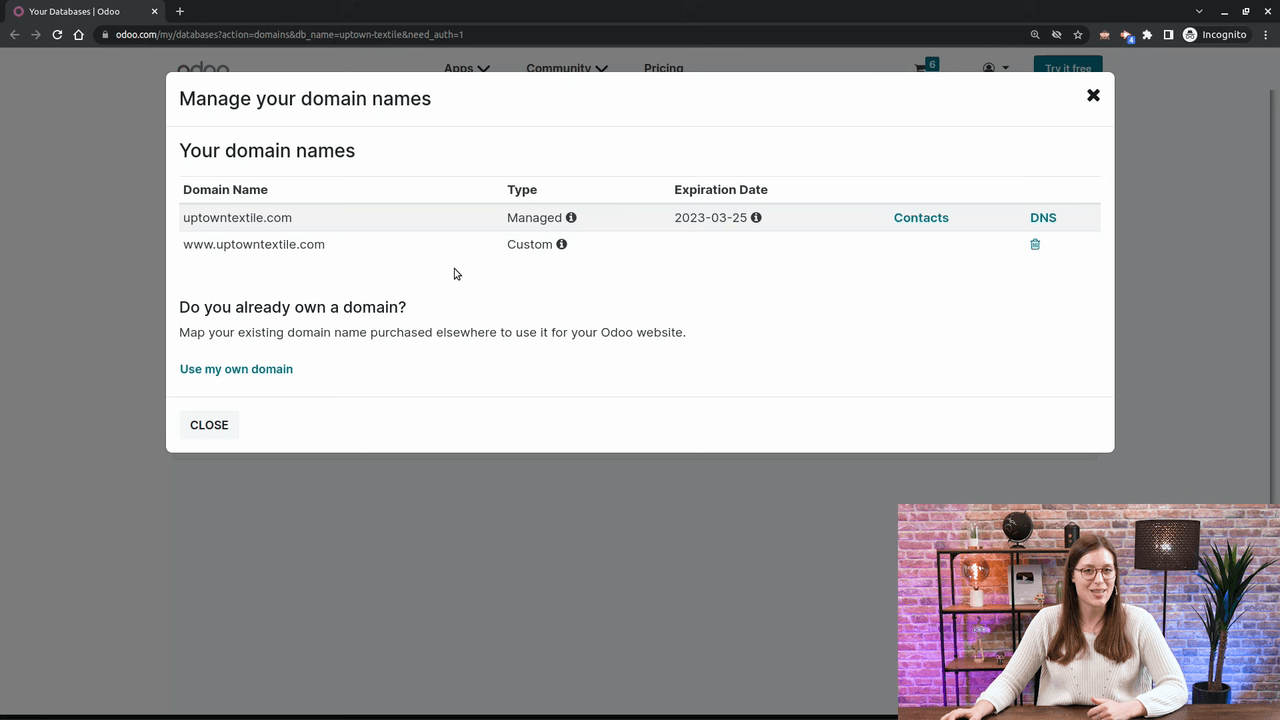
Return to your odoo.com portal and go to Domain Names. Your newly registered domain should appear in the list, already linked to your Odoo website.
Understanding Subdomains
You may be wondering about the www prefix. That's a subdomain — an extra string of letters placed before the domain name. While www is the most common subdomain, any series of letters can play the same role. When you register a domain in Odoo, you only need the base domain name; the subdomain is handled separately.
After Registration
A few things to round off the process:
- Confirm the domain is live by visiting it in a browser.
- Configure any additional DNS settings through your Odoo portal if your setup calls for them.
- Explore Odoo Website's SEO and promotion tools to start driving traffic to your new address.
A professional domain name is one of the simplest ways to make a website more credible and easier to reach — and with Odoo, the whole process takes just a few minutes and costs nothing.
If you'd like our team at APAA to help set up your Odoo Website, connect a domain, and get your business properly online, get in touch with us and we'll guide you through it.